
Formats
Internal communications video
Employee stories, announcements and explainers, shaped into video for the intranet, the meeting-room screen and the phone.
- 16:9
- 9:16
- 1:1
- Captions
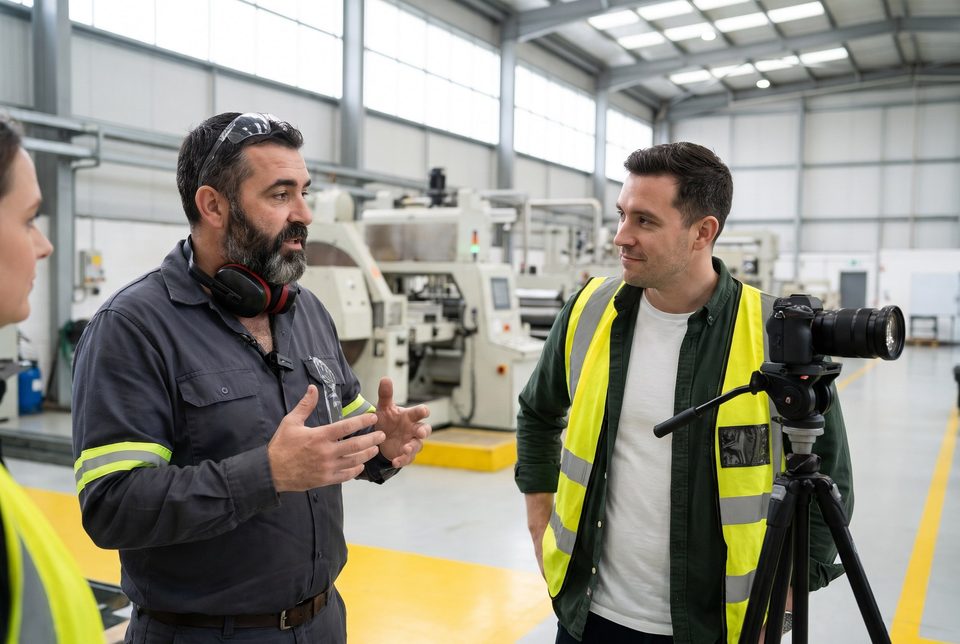
Video that works where your people are.
Internal video is often watched on a phone between tasks, on a screen with the sound off, or in the minute before a meeting starts. It has to make its point early and still read without audio.
So we build the piece around the place it will be played: the story first, captions from the start, and a separate cut for each screen.
Used for
- Employee stories from the floor, the field or the office
- Announcements that need a face, not a memo
- Explainers for a new process, tool or policy
- Recaps of a town hall or a company event
Example
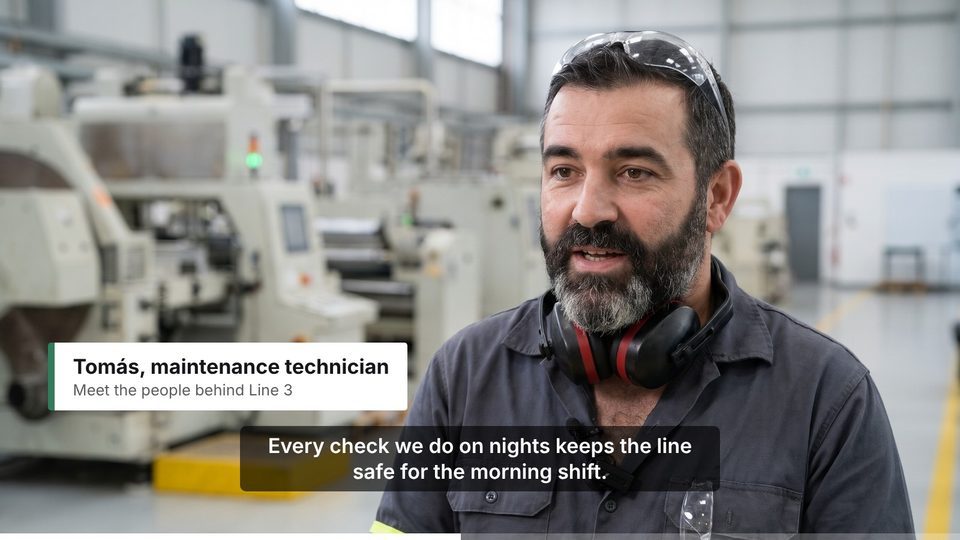
Example: an employee story.
The briefA plant wants the rest of the company to see what the night-shift maintenance team does. One technician, Tomás, explains what his checks prevent.
Illustrative example for a fictional company. The frame is an AI-generated image.
What was delivered
The story, 16:9
For the intranet and the town hall screen.
Vertical cut, 9:16
His strongest line, for phones.
Square cut, 1:1
For internal social feeds and digital signage.
Captions and a transcript
So it works with the sound off and can be searched.
One shoot, a cut for every screen.
We plan the cuts before filming, so each one is framed for its screen rather than cropped afterwards.
- 16:9Intranet, town halls, meeting rooms.
- 9:16Phones and vertical screens.
- 1:1Internal social feeds and signage.
- CaptionsOn screen or as a file, for viewing without sound.
Your part
What we start from.
An idea or a brief
We find the story and the person to tell it.
Footage you already have
We edit it, caption it and cut it for each channel.
Slides or a written announcement
We turn them into a short explainer.
Timing
The timeline depends on whether we film, how many cuts you need and how many languages. It comes with the quote.
Languages
Captions and on-screen text in every language, and voice-over versions in every language and accent your teams need, with real voice talent.
Confidential information
Filming inside a company means filming people, places and screens that are not public. Before we arrive, we agree what can be shown, who signs the release forms and where the files are kept.
- Release forms agreed with you
- Screens and documents checked in the edit
- Private delivery of every cut
What you can hold us to
Checked before it reaches your teams.
Standards we apply to every piece, and the commitments we make before you send anything.
- Know how it’s made
We tell you whether each piece uses an AI voice or a human one.
- Reviewed before delivery
Nothing reaches your teams until you approve it.
- Confidential from the start
We agree confidentiality, access to materials and private delivery with you before we start.
Delivery standards
- Consistent loudness
- −16 LUFS for podcast platforms, true peak ≤ −1 dBTP, so episodes don’t jump in volume.
- A master you can reuse
- WAV 48 kHz / 24-bit for future edits and versions.
- Captions for recorded media
- Following WCAG 2.2, criterion 1.2.2, for people watching without sound.
- Checked before delivery
- Technical, listening and script checks on every piece.
Questions
Before you get in touch.
How long should an internal video be?
As long as the story needs. We agree a length for each cut: the main piece can run longer, while the vertical cut keeps only the strongest moment.
Do you film on site?
When the story needs the place, yes. Otherwise we work from footage you already have, remote recordings or a studio session.
Will it work without sound?
Yes. Every recorded piece is captioned, following WCAG 2.2 success criterion 1.2.2, and the key lines are written on screen.
Can you use AI instead of filming?
For some explainers, yes, and we always tell you how each piece is made. Employee stories are filmed with your real people, with their consent.
Keep reading
Related
- FormatLeadership updatesProduced for your teams, in the leader’s own voice or a directed one.
- FormatEmployee onboarding videoA welcome and a first week that work for people on the floor, in the field and in the office, in their own language, on any shift.
- GuideCEO video message examplesSeven occasions when a CEO message works, an opening line that works for each, and the mistake to avoid.
- Working togetherHow it worksFour steps, one contact person and nothing delivered without your review.

What’s your next message?
Tell us who it’s for, what you need to communicate and when you need it. We’ll come back with the approach and the scope.
Start a project